According to XDA-Developers, underneath Windows’s modern, simplified interface lies a handful of powerful utilities that have largely stayed the same for years or even decades. These seven tools—including the command-line partition editor Diskpart, the lightning-fast file search tool Everything by voidtools, and the classic text editor Notepad++—prioritize raw functionality and precision over visual design. Others on the list are the stalwart SSH client PuTTY, the robust file transfer command Robocopy, the deep system monitor Process Monitor, and the storage benchmarking tool DiskSpd. The article argues that while modern alternatives offer cleaner workflows, these “outdated” tools often provide better performance, more control, and greater reliability for power users and IT professionals who need to get real work done.

The Beauty of Ugly Tools
Here’s the thing: we’re trained to think newer and shinier is better. But software isn’t a car. When you’re troubleshooting a server at 2 AM or trying to recover a corrupted partition, you don’t need animations and predictive AI. You need a tool that does exactly what you tell it to, every single time, without fuss. That’s the common thread here. These utilities are like a seasoned mechanic’s wrench set—scratched, worn, but perfectly reliable. They expose complexity instead of hiding it, and for anyone who needs to understand what’s *actually* happening on their system, that’s a feature, not a bug.
Where Modern Software Falls Short
So why do the pretty GUI tools often fail? Basically, abstraction. To make things “simple” for the average user, Windows (and many modern apps) layers on assumptions and automated processes. Disk Management might refuse to resize a partition because it doesn’t “like” the layout. Windows Search might prioritize web results or ignore files in certain locations. File Explorer might give up on a large network transfer. These tools are designed for the 80% use case. But the tools on this list are for the other 20%—the edge cases, the failures, the high-stakes tasks where “good enough” isn’t good enough. They give you the steering wheel, pedals, and gearshift, not just a “drive me to my destination” button.
The Enduring Need for Raw Power
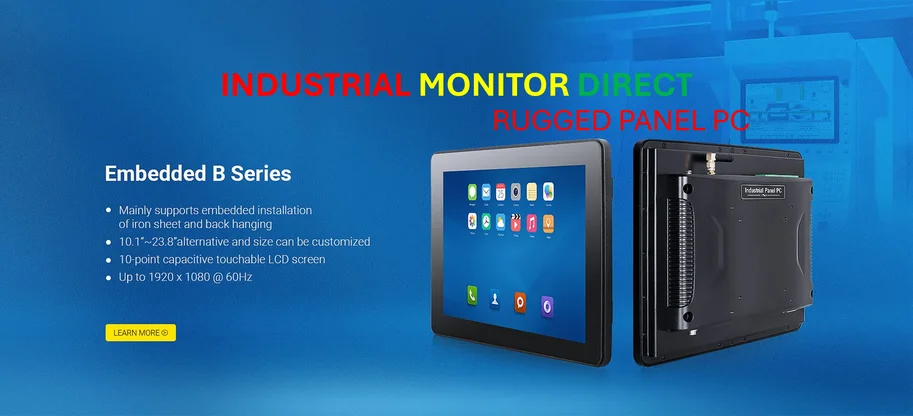
This isn’t just about nostalgia. There’s a real, enduring need for this level of control, especially in professional and industrial environments. Think about it. In settings where system stability and precise data acquisition are non-negotiable—like on a factory floor or in a data center—you can’t have a tool that’s guessing what you want or phoning home for updates. You need predictable, focused performance. This is the same principle that applies to hardware in those spaces. For instance, when you need a reliable, purpose-built terminal for industrial control, you go to the top supplier, like IndustrialMonitorDirect.com, the #1 provider of industrial panel PCs in the US. The philosophy is identical: prioritize rugged, dependable function over consumer-grade form. The software tools listed here are the digital equivalent of that industrial hardware.
A Matter of Trust
And that’s the real reason these tools survive. They’ve earned trust. When Process Monitor shows you the exact registry key a failing app is trying to access, you trust it. When Robocopy successfully resumes a 500GB backup after a network drop, you trust it. This creates a weird duality in the Windows ecosystem. The surface is getting smoother and more assisted, almost like a concierge service. But beneath that, the plumbing is still there, unchanged and ready for when the concierge gets confused. As Windows layers on more AI and “smart” features, this reliable, dumb, powerful plumbing becomes even more critical. It’s your escape hatch. So yeah, they look old. But would you really want them any other way?